Scan the original files
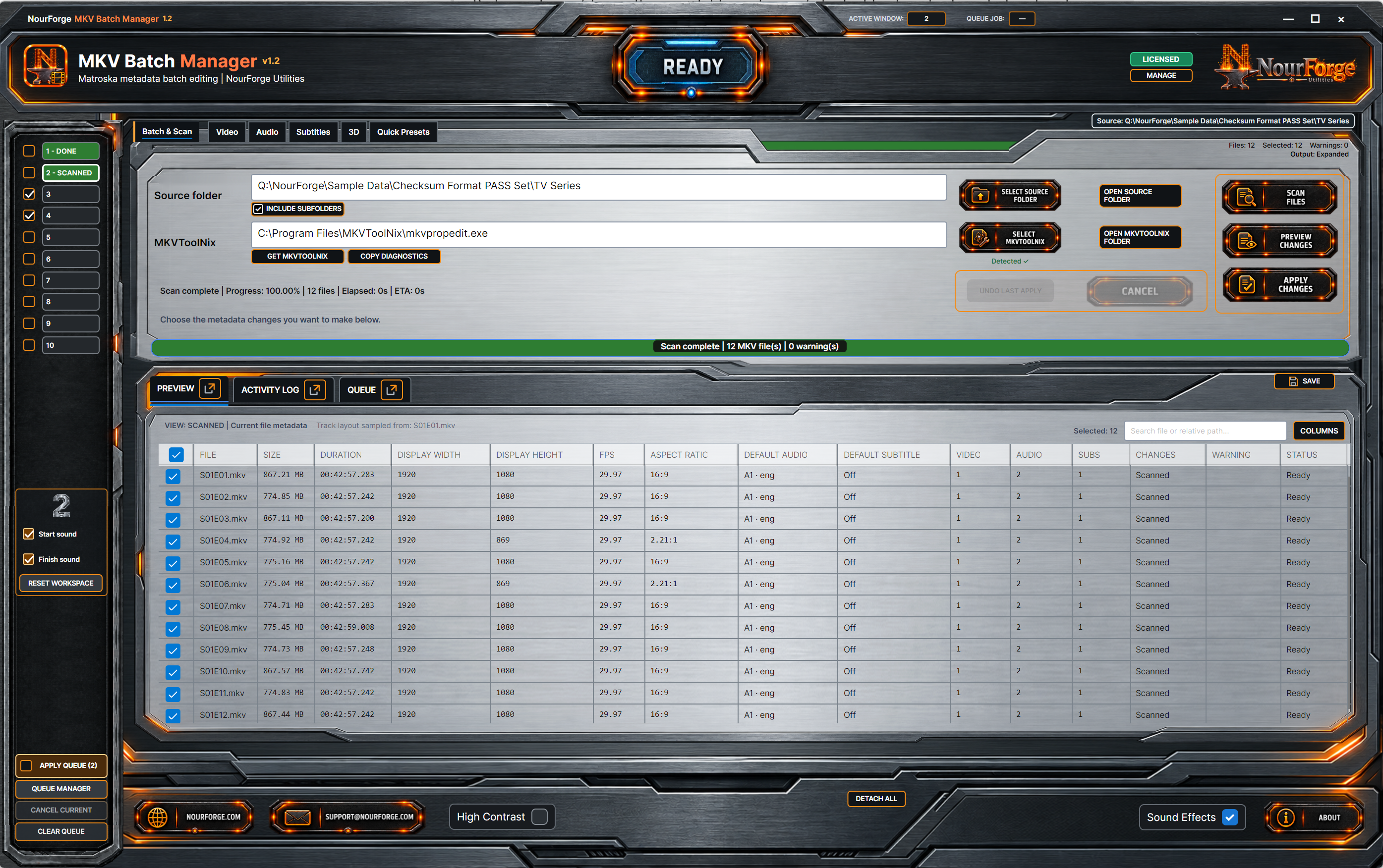
Inspect detailed original file, video, audio, subtitle and container properties before planning changes.
 GitHub
NOURFORGE UTILITIES · WINDOWS APPLICATION
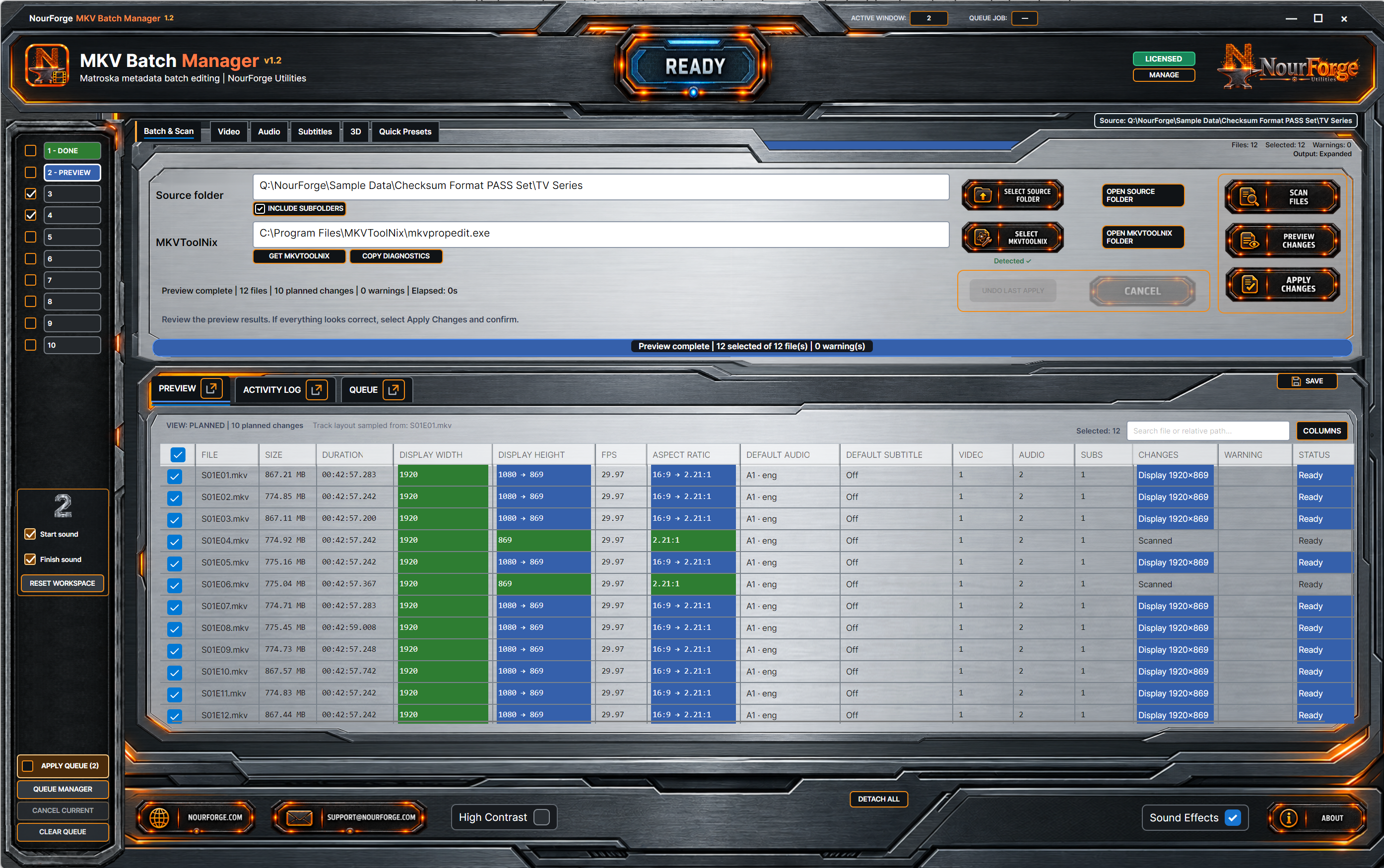
Review planned video, audio, subtitle, 3D and container metadata changes before applying them across selected MKV files.
CAPABILITIES
Scan, preview and batch-update MKV metadata with clear feedback and no video or audio re-encoding.
Inspect detailed original file, video, audio, subtitle and container properties before planning changes.
See original-to-planned values with colour-coded comparison states, written Changes, Warnings and Status before Apply.
Update supported Matroska metadata without re-encoding video or audio streams.
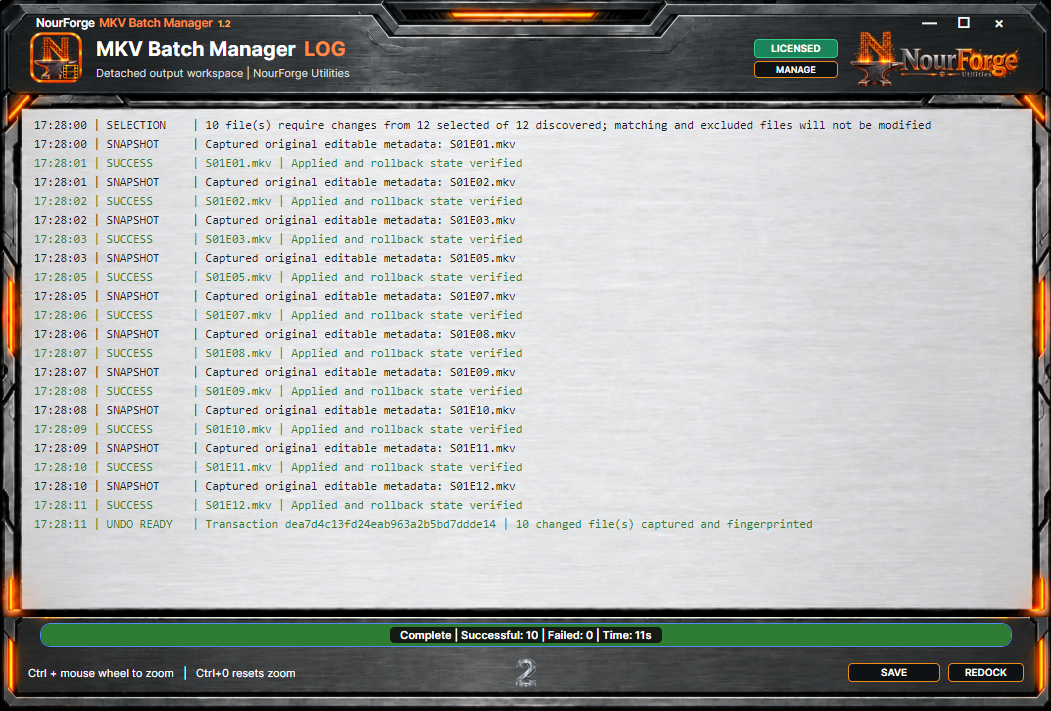
Monitor per-file application and verification feedback, with a captured Undo Last Apply transaction for the most recent batch.
Work with video display data, audio defaults, subtitle defaults, 3D metadata and related container fields.
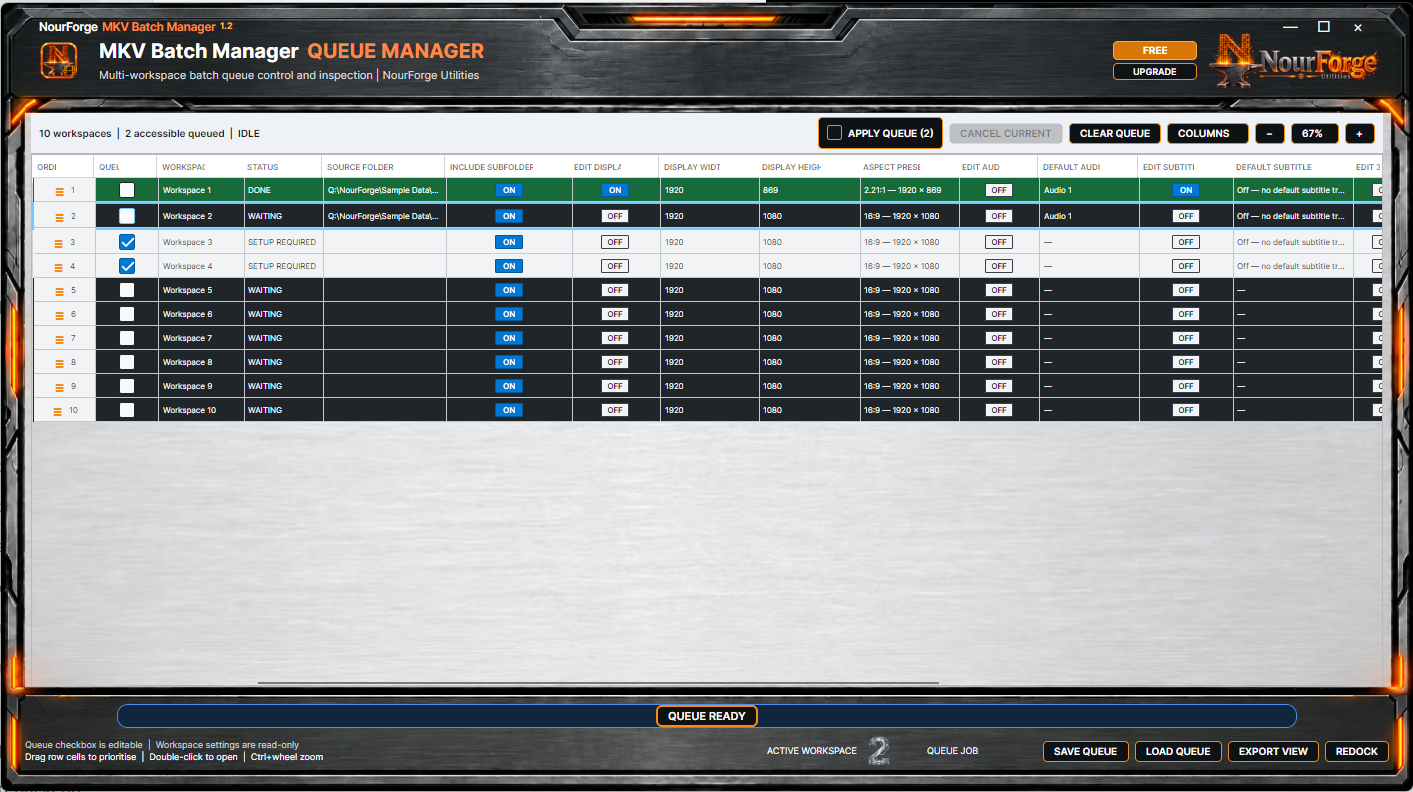
Prepare independent jobs, inspect queue settings and export structured views and logs.
LEARN
Matroska files can contain several video, audio and subtitle tracks plus display and selection metadata. MKV Batch Manager makes the original state, planned state and applied result visible across a group of files before repetitive edits become expensive mistakes.
AUTHENTIC APPLICATION VIEWS
These are genuine application screenshots, not recreated marketing interfaces.
FREE AND FULL
Full changes capacity and workspace limits—not the integrity of the core processing.
Scan and preview larger folders, then apply changes to batches of up to 10 MKV files per Apply operation.
Remove the Apply batch-size limit.
$34.99One-time individual licence · AUDSee every upgrade option →PURCHASE OPTIONS
Free remains available. Purchase only the Full coverage that fits your work.
Remove the Apply batch-size limit.
All three NourForge Utilities Full licences in one offer.
GUIDES
Start with the practical setup and review sequence, then return to product support if you need help.
SYSTEM REQUIREMENTS
RELEASE FILE
The Downloads hub will publish the signed installer filename, version, size and SHA-256 together when the release artifact is ready.
Open download details →PRODUCT SUPPORT
Use NourForge Support for downloads, Free limits, licensing, bug reports or product questions.